3D printing has accumulated a dense vocabulary for a process that, at its simplest, builds physical objects from digital instructions. This glossary covers the terms you are most likely to encounter when reading PrintMettle guides, slicer settings and printer specifications.
3D model
A digital representation of an object. Models can be created in CAD or sculpting software, downloaded from model libraries or generated by other design workflows.
3MF
A file format designed for additive manufacturing that can store geometry and additional model information. Support varies by software and workflow.
ABS
A thermoplastic used in FDM printing. It can offer useful mechanical and temperature-related properties but generally requires more controlled printing conditions than PLA. Follow material and printer guidance.
Bed / build plate
The surface on which an FDM print begins. Depending on printer design it may be fixed or move during printing, heated or unheated, rigid or flexible.
Bed adhesion
How securely the first layers remain attached to the build surface during printing. Surface condition, first-layer setup, temperature, material and geometry can all influence it.
Bed levelling
The process of establishing the relationship between the nozzle and build surface. Some printers use manual adjustment, probes, automatic routines or a combination of methods.
Bridging
Printing material across a gap between supported areas without support directly underneath. Cooling, speed, material and bridge length influence results.
Brim
Extra single-layer material attached around the outside of a model’s first layer to increase contact with the build surface. It is removed after printing.
CAD
Computer-aided design software used to create precise digital models. CAD is particularly useful for functional parts where dimensions and relationships matter.
Calibration
The process of checking and adjusting a printer or profile so that its behaviour is known and repeatable. Useful calibration isolates one variable rather than changing everything simultaneously.
Direct drive
An extrusion arrangement where the filament-driving mechanism is positioned close to the hotend. It can shorten the filament path compared with a Bowden-style arrangement.
Elephant’s foot
A slight outward bulge around the bottom of an FDM print, often associated with first-layer geometry or thermal effects.
Extruder
The mechanism that drives filament toward and through the hotend in an FDM printer. Everyday usage sometimes blurs the distinction between the extruder and hotend.
FDM / FFF
Common terms for material-extrusion 3D printing in which thermoplastic filament is melted and deposited layer by layer. FDM is widely used conversationally for desktop filament printers.
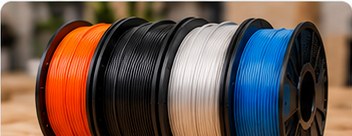
Filament
Thermoplastic feedstock supplied for FDM/FFF printers, commonly on a spool. PLA, PETG, ABS, ASA and TPU are examples of broad filament families.
Flow
A slicer or printer setting relating to the amount of material extruded. It should not be used as a universal cure for unrelated dimensional or mechanical problems.
G-code
A widely used form of machine instruction generated by slicer software. It can contain movement, extrusion, temperature and other commands appropriate to the printer.
Hotend
The assembly that heats filament and delivers molten material through the nozzle. Designs vary in temperature capability, flow and construction.
Infill
Internal structure generated inside many FDM parts. Pattern and density affect material use and print time, while final strength also depends heavily on walls, material, geometry and orientation.
Layer height
The nominal thickness of each printed layer. Smaller layers can improve vertical detail but usually increase the number of layers and therefore print time.
Layer shift
A sudden horizontal displacement where subsequent layers no longer align with earlier ones. It is commonly investigated as a motion-system problem.
Nozzle
The final opening through which molten filament is deposited. Nozzle diameter and material influence suitable layer/extrusion settings and material compatibility.
Overhang
Geometry that extends outward without full support from the previous layer. The printable angle depends on process, material, cooling and settings.
PETG
A common FDM filament family often selected when users want properties different from ordinary PLA. Exact behaviour varies by formulation and manufacturer.
Raft
A removable printed base created beneath a model. It can help in particular adhesion situations but consumes extra material and affects the bottom surface.
Resin
Liquid photopolymer used by resin 3D printers. Uncured resin requires handling, processing and disposal precautions specified by its manufacturer.
Retraction
A filament-management movement used during FDM travel moves to reduce unwanted oozing. Appropriate settings depend on the extrusion system and material.
Seam
The area where perimeter extrusion starts or stops on successive layers. Slicers offer different ways to position or distribute it.
Slicer
Software that prepares a 3D model for printing by dividing it into layers and generating machine instructions. It also controls settings such as supports, temperatures, speeds and infill.
STL
A long-established 3D file format that represents a model’s surface using triangles. It carries geometry but little of the richer project information available in some newer formats.
Supports
Temporary structures used to help print geometry that would otherwise be insufficiently supported. They are removed after printing, although resin and FDM support workflows differ.
TPU
A family of flexible thermoplastic materials used in FDM printing. Flexibility can make filament feeding and tuning more demanding than ordinary rigid PLA.
Warping
Distortion caused when parts of a print contract or lift, commonly visible at corners or edges. Material, thermal conditions, geometry and adhesion can contribute.
Z offset
An adjustment used on many printers to fine-tune the nozzle’s effective vertical relationship to the build surface, particularly for the first layer.
Where to go next
If a term only makes sense after you see it happen, that is normal. Use the glossary alongside PrintMettle’s beginner and troubleshooting guides, where these concepts are shown in the context of an actual printing problem or workflow.