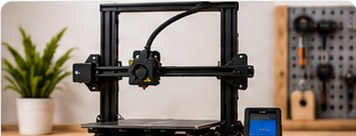
Choosing your first 3D printer becomes much easier once you stop comparing specification sheets and start with a simpler question: what do you actually want to make? A printer for tabletop miniatures has different priorities from one intended for workshop brackets, cosplay parts, organisers or prototypes.
This guide is research-led rather than a claim that every printer mentioned on PrintMettle has been personally tested. The aim is to give you a framework you can use when comparing machines, then verify important specifications with the manufacturer before buying.
Start with FDM or resin
Most home 3D printers fall into two broad groups. FDM or FFF printers melt thermoplastic filament and deposit it layer by layer. Resin printers use light to cure liquid photopolymer. Both can produce excellent results, but the ownership experience is quite different.
FDM is the practical all-rounder
FDM is usually the easier route for general-purpose printing. Filament is straightforward to store and handle, prints can be relatively large, and common materials such as PLA and PETG cover a wide range of decorative and functional jobs. FDM is a sensible place to start if you want organisers, replacement knobs, brackets, prototypes, toys, terrain or larger models.
Resin is about fine detail
Resin printing is attractive when small features and smooth-looking surfaces matter. Miniatures, display models and detailed components are common examples. The trade-off is a more involved workflow. Uncured resin requires careful handling, and prints normally need washing and post-curing. You also need to plan the workspace before the machine arrives rather than discovering halfway through a print that the dining table was a questionable laboratory.
Decide what size you genuinely need
Build volume is easy to compare because manufacturers publish neat numbers, but bigger is not automatically better. A larger machine takes more space, can cost more and may be unnecessary if most of your prints are small.
Think about the largest objects you expect to print regularly. Large models can often be divided into sections and assembled afterwards. If you intend to make helmets, props or large functional parts, extra build volume can be valuable. If you mainly want small mechanisms or desk objects, a compact machine may be the more sensible fit.
Look beyond headline print speed
Speed figures deserve context. The maximum movement speed on a product page is not the same thing as the speed at which every model will print well. Acceleration, material, layer height, cooling, geometry and slicer settings all affect the result.
For a first printer, consistency and an understandable workflow matter more than winning a theoretical race. A machine that produces repeatable first layers and has sensible default profiles can save far more time than one with an impressive maximum-speed figure that you rarely use.
Features that make ownership easier
Modern printers can include automatic or assisted bed levelling, filament run-out detection, power-loss recovery, cameras, network printing and vibration compensation. None of these features can replace learning the basics, but some reduce routine setup work.
- Bed probing or automatic levelling: useful for compensating for small variations in the build surface.
- Flexible build plate: can make finished parts easier to remove.
- Direct-drive extrusion: can be useful when printing flexible materials, although printer design matters more than the label alone.
- Enclosure: increasingly relevant when you want to print materials that benefit from a more stable thermal environment.
- Network features: convenient if you want to send jobs or monitor the printer without moving files manually.
Material compatibility matters
Do not assume every printer can use every filament. PLA is relatively undemanding, while other materials can require higher nozzle or bed temperatures, an enclosure, different build surfaces or hardened wear components. Check the printer manufacturer’s supported material guidance and the filament maker’s recommendations.
If your initial goal is ordinary PLA printing, there is little benefit in paying for capabilities you may never use. On the other hand, if you already know you want tougher engineering-oriented materials later, buying with that path in mind can avoid an early replacement.
Software can make or break the experience
The slicer turns a 3D model into instructions the printer can follow. Good printer profiles, understandable controls and a reliable way to transfer jobs are therefore part of the product, even though they are less photogenic than rails and toolheads.
Before buying, look at the manufacturer’s current software support and whether established third-party slicers provide profiles for the machine. Also check whether firmware updates, replacement parts and documentation are reasonably accessible.
Consider noise, space and ventilation
A 3D printer is not merely a box that occupies its advertised footprint. The bed may move beyond the frame, filament needs room to feed, doors or lids need clearance and maintenance requires access around the machine.
Think about where it will operate for several hours at a time. Noise may matter in a bedroom or shared office. Resin printing requires a particularly deliberate approach to handling and workspace ventilation. For any material, follow the printer and material manufacturers’ safety guidance.
Budget for more than the printer
Your first purchase may also need filament or resin, basic tools, spare consumables and suitable storage. Resin workflows additionally need the equipment and consumables required for safe handling, washing and curing. FDM owners may eventually want spare nozzles or a filament-drying/storage solution depending on materials and environment.
That does not mean buying a trolley full of accessories on day one. Start with what the manufacturer actually requires and add tools when a real need appears.
A simple first-printer checklist
- Choose FDM or resin based on the objects you want to make.
- Check that the build volume fits your typical projects.
- Confirm the materials you want to use are supported.
- Measure the real space available around the printer.
- Review slicer support, documentation and replacement-part availability.
- Budget for required consumables and safety equipment.
- Prefer a dependable workflow over a single impressive headline specification.
What should a beginner print first?
Use a small, known test model and the manufacturer’s recommended starter profile. The first objective is not to produce a museum piece. It is to learn how the build surface, first layer, material and slicer settings interact. Once you can repeat a basic print reliably, change one variable at a time and keep notes.
Bottom line
The best first printer is not automatically the newest or fastest machine. It is the one that fits your intended projects, available space, materials and willingness to maintain the process. Decide those things first and the product shortlist becomes dramatically smaller, which is merciful because the 3D-printer market has never encountered a specification it didn’t want to turn into a marketing badge.