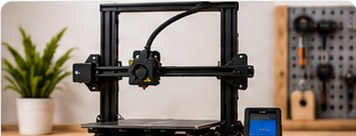
3D-printer upgrades are easy to buy because every machine has something that can be replaced, reinforced, illuminated, networked or given a more impressive product name. The harder question is whether changing it will improve the printing you actually do.
A useful upgrade solves a defined limitation. If you cannot describe the problem first, maintenance or better slicer settings may be the smarter starting point.
Before upgrading, restore the baseline
Check the printer’s normal maintenance items, fasteners, belts or motion components as appropriate, build surface, nozzle condition and slicer profile. If the machine has recently become unreliable, fix that before introducing another variable.
Take photographs or notes before changing hardware and save the working profile. That gives you a route back if the modification makes things worse.
Nozzle upgrades
Nozzles are both consumables and tuning choices. A different diameter can trade detail for throughput, while different materials may be chosen for wear resistance or other requirements.
A larger nozzle can make sense for big functional parts where fine detail is less important. A smaller nozzle may help with tiny features but can increase print time and requires appropriate slicer settings. Abrasive-filled filaments may require wear-resistant components specified as suitable by the printer or hotend manufacturer.
Build plates and surfaces
A damaged or unsuitable build surface can justify replacement. Different surfaces can also provide different adhesion behaviour and bottom textures.
Compatibility matters. Confirm the physical size, mounting method, temperature limits and any printer-specific probing considerations. A new plate should solve a need, not become a weekly fashion accessory.
Hotend changes
A hotend upgrade may be relevant when you need material temperatures, flow rates or components beyond the capabilities of the original system. This is a more consequential modification than swapping a cosmetic part.
Check electrical compatibility, firmware requirements, thermistor/heater specifications and manufacturer guidance. Incorrect temperature sensing or heater configuration can create a safety risk.
Extruder changes
An extruder modification may help when the original feed system has a genuine limitation, such as material-path requirements for the filaments you want to use. Direct-drive conversions can change moving mass and may require new profiles or mechanical adjustments.
Do not assume that a different extruder automatically improves print quality. A well-functioning stock system printing the materials you need may already be doing its job.
Enclosures
An enclosure can help create a more stable environment for materials that are sensitive to drafts or temperature variation. It can also alter the thermal environment around electronics and power supplies.
Use a design appropriate to the printer and materials, and follow manufacturer guidance. An enclosure is not automatically a complete ventilation or emissions-control solution.
Filament storage and drying
For users printing moisture-sensitive materials or storing many open spools, better storage can produce more practical benefit than a dramatic mechanical modification. Sealed storage, desiccant systems or suitable drying equipment may help depending on the filament and environment.
Use drying temperatures and procedures specified by the material manufacturer.
Cameras and remote monitoring
A camera can be useful for checking long jobs and creating time-lapse footage. Networked monitoring can also improve convenience, but remote control should be configured securely and used with appropriate caution. A camera does not make unattended operation risk-free.
Lighting
Better lighting sounds trivial until you are trying to inspect a first layer inside a dark frame. It can improve visibility for monitoring, maintenance and photographs. Use components that are electrically and thermally appropriate for the installation.
When an upgrade is probably not worth it
- The printer currently works and the modification has no defined purpose.
- You are trying to solve a slicer problem with hardware.
- The upgrade requires several additional modifications merely to fit.
- Replacement parts or firmware support become harder to obtain afterwards.
- The total upgrade cost approaches the value of a machine designed with the desired capability.
Evaluate upgrades like an experiment
Before changing anything, print a repeatable test and record the settings. Make the modification, update only the settings it genuinely requires and repeat the test. Compare quality, reliability, print time, noise or whichever metric motivated the upgrade.
This prevents the common situation where a printer receives five modifications at once and nobody can explain which one improved anything.
Warranty and safety
Hardware modifications can affect warranty coverage and may introduce electrical, thermal or mechanical risks. Check the printer manufacturer’s documentation before changing safety-related components, firmware protections, heaters, sensors or mains-powered equipment.
Bottom line
Upgrade from a problem statement, not from boredom. Nozzles, build surfaces, hotends, enclosures, storage and monitoring can all be worthwhile when they address a real requirement. A reliable stock printer with a well-tuned profile is more useful than a heavily modified machine that has become an ongoing research project.